

Get these ready.
- Access to your own MEXC account and required account verification methods.
- API permissions for the market you intend to use; available permissions depend on your exchange account.
- Access to Exchange Connections and an available exchange slot in your workspace plan.
Exchange menus and account requirements can change. This guide explains the workflow; the official references below provide the exchange's current requirements.
Open the official MEXC API page
Sign in to MEXC and open API Management from your account settings. The official API Management page is linked in the references below. Check the address carefully before entering account credentials.
Exchange reference ↗Create a dedicated API key
Create a separate key for this workspace and choose a label that you can recognize later. Complete the verification prompts shown by MEXC. Keep the API key and secret available for the connection form; do not publish them or include them in screenshots.
Bind the current workspace server IP
Open Exchange Connections in your workspace, copy the current server IP from its instructions and add it to your MEXC key's IP restrictions. Save the exchange settings. If the dashboard value changes later, review the whitelist before reconnecting.
Match permissions to your intended market
Choose the account-reading and trading permissions you actually need. Check the exchange's current futures requirements if you intend to run a futures strategy. Keep withdrawal access disabled; a connected account is not a reason to enable transfers or withdrawals.
Paste the key into your signed-in workspace
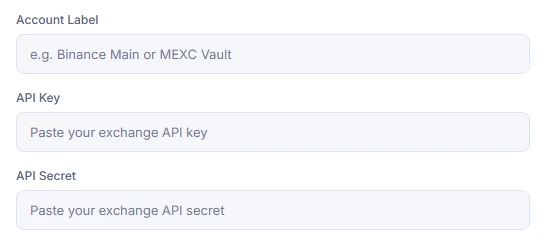
Open Connect your exchange and select MEXC Global. Add an Account Label, API Key and API Secret, then submit. Read the validation result before continuing. The form shown below is an empty example of the actual workspace fields.
Verify the account and strategy market
Check that your account appears in Connected exchanges and review any balance or permission errors. Confirm that the intended spot or futures wallet is available for the strategy. Do not assume a successful account-reading request also proves that live order permissions work. Connecting an account does not launch a bot.
Check the likely cause.
The key is rejected
Recheck the selected exchange, remove accidental spaces and verify the current server IP against the exchange whitelist. Confirm that the key has not expired, been revoked or been replaced.
The balance loads but a futures action fails
Confirm account activation, market eligibility and futures API permissions with MEXC. Reading balances and placing orders are different operations. Check the exchange error rather than repeatedly submitting the same action.
Exchange reference ↗The account is already connected or the plan limit is reached
Review the connections already listed and your plan's exchange limit. Resolve pending payment approval or connection errors before attempting another account.
Official exchange references
Use the exchange's own instructions to confirm changes to menus, permissions and eligibility.
MEXC is an independent exchange. This guide does not imply an official partnership or endorsement.Connect from your workspace.
Review the permissions and connection result before enabling any live strategy.
API keys can authorize trades. Keep secrets private and withdrawals disabled. Trading can cause losses; read the Risk Disclosure before using live funds.